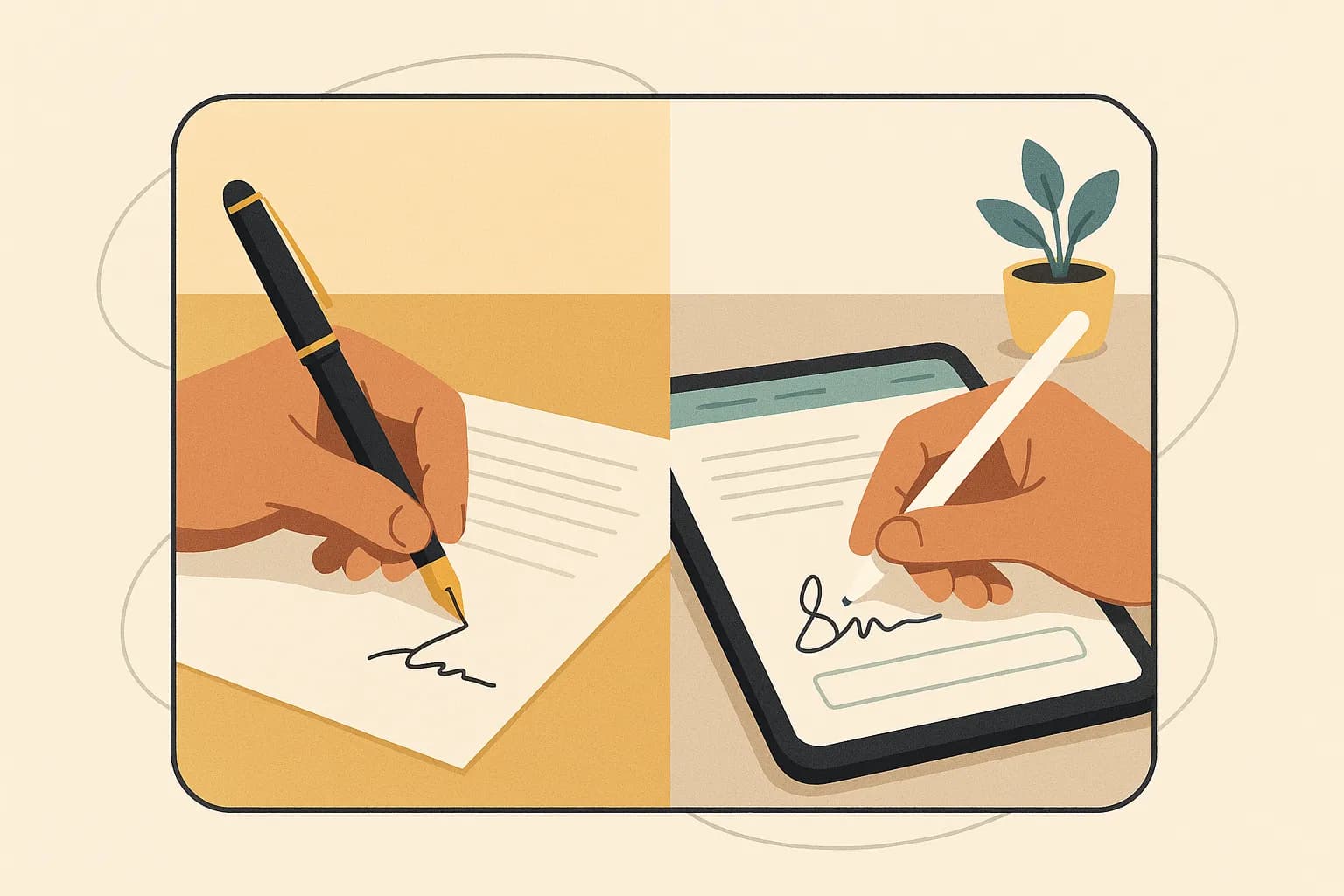
What Is a Wet Signature? Definition and Origin of the Term
A wet signature is exactly what it sounds like: a signature you make by physically putting pen to paper. When you grab a pen, sign your name, and leave a mark of actual ink on a document, that's a wet signature. It's the traditional, old-school way of signing that most of us learned back in school and have been doing our whole lives. The term "wet signature" simply distinguishes it from an electronic or digital signature, where no physical ink ever touches a page.
So why do we call it "wet"? The name comes from something wonderfully literal. When you sign with a pen, the ink is genuinely wet for a moment before it dries onto the paper. That's it. That's the whole story. The signature starts out wet and needs time to dry. You've probably experienced this yourself—signing a form too quickly, closing it, and then smearing your own name across the page. Annoying, right? The phrase "wet ink signature" is essentially a nod to that brief window where the ink hasn't set yet.
You might also hear people say a document was "wet signed" or ask "what is wet sign?" These are all just variations on the same idea. Whether someone says wet signature, wet ink signature, or wet signed, they're pointing to the same thing: a handwritten mark made with a real pen on a physical piece of paper.
A Quick Trip Through History
Signatures have been around for a very long time. Humans have used marks, seals, and signs to signal agreement and authenticity for centuries. One early legal cornerstone came from England's Statute of Frauds of 1677, which required certain contracts to be signed in writing to be enforceable. That principle carried across the world and shaped how we think about signing documents today.
For generations, the wet signature was the only game in town. If you wanted to buy a house, hire an employee, or close a deal, you signed on the dotted line with ink. Simple. Trusted. Universal.
But here's where things get interesting. The wet signature isn't the only legally valid way to sign anymore. In the United States, the ESIGN Act of 2000 gave electronic signatures the same legal standing as their wet counterparts in most cases. Suddenly, a signature no longer had to be wet to hold up.
So what does that mean for you as a business owner or freelancer? A lot, actually—and we'll dig into exactly when you still need one next.
Wet Signature vs. Electronic Signature vs. Digital Signature
Here's where a lot of people get tripped up. "Electronic signature" and "digital signature" sound like the same thing, right? They're not. And neither one is quite the same as the wet ink signature you scrawl on paper. Let me break down all three so you can stop second-guessing which one you actually need.
The Wet Signature
We covered this already, but as a quick anchor: a wet signature is the physical mark you make with a pen. Wet signed documents are tangible. You can hold them, file them in a drawer, or mail them across the country. The catch? They're slow, easy to lose, and a nightmare to manage at scale. Ever tried to chase down five signatures on a contract that everyone insists they "already mailed back"? Exactly.
The Electronic Signature
An electronic signature (or e-signature) is any electronic indication of intent to agree to a document. That's a broad definition on purpose. It could be typing your name into a form, checking an "I agree" box, or drawing your signature with your finger on a touchpad.
In the United States, e-signatures are legally recognized thanks to the ESIGN Act of 2000 and the Uniform Electronic Transactions Act (UETA). Both establish that a signature can't be denied legal effect just because it's electronic. In the EU, the eIDAS regulation does the same job.
For most everyday business agreements—NDAs, client contracts, referral agreements, supply agreements, seller financing contracts, proposals, invoices—an electronic signature is more than enough. It's fast, trackable, and legally binding.
The Digital Signature
Now here's the one people confuse most. A digital signature is a specific type of electronic signature that uses cryptography to verify authenticity. Think of it as an electronic signature with a security badge attached.
Under the hood, a digital signature relies on public key infrastructure (PKI). When you sign, the technology creates a unique cryptographic fingerprint of the document. If anyone alters a single character after signing, that fingerprint breaks—and the tampering becomes obvious. It also confirms who signed and when.
So every digital signature is an electronic signature, but not every electronic signature is a digital signature. It's like squares and rectangles.
Which One Do You Actually Need?
| Type | How It Works | Best For | |------|-------------|----------| | Wet signature | Pen on paper | Notarized deeds, wills, some court filings | | Electronic signature | Digital intent to sign | Contracts, proposals, HR forms | | Digital signature | Cryptographic verification | High-security or regulated documents |
For the vast majority of small business work, you'll live in the e-signature world—and that's exactly where a tool like Dochives shines, handling the signing, tracking, and storage without a printer in sight.
Are Wet Signatures Legally Valid and Enforceable?
Yes—wet signatures are absolutely legally valid and enforceable. A signature made with pen and ink on paper has been the gold standard for centuries, and courts around the world still recognize it as a binding expression of your intent to agree. If you sign a contract, a lease, or a loan document by hand, that agreement holds up. Simple as that.
But here's where things get interesting for you as a business owner or freelancer: wet signatures no longer have a legal monopoly.
The Laws That Changed Everything
In the United States, two major pieces of legislation put electronic signatures on equal footing with wet-ink ones. The first is the Electronic Signatures in Global and National Commerce Act (ESIGN), signed into federal law back in 2000. The second is the Uniform Electronic Transactions Act (UETA), which has been adopted by 49 states plus the District of Columbia.
What do these laws actually say? In plain English: a contract can't be denied legal effect just because it was signed electronically. That's the heart of it. As the text of the ESIGN Act makes clear, a signature "may not be denied legal effect, validity, or enforceability solely because it is in electronic form."
So a wet signature and a properly executed e-signature carry the same legal weight. Neither one is inherently "stronger" in the eyes of the law.
When Does a Signature Actually Hold Up?
Whether it's wet or electronic, enforceability comes down to a few core elements of a valid contract. Courts generally look for:
- Intent to sign. You meant to agree—you weren't tricked or coerced.
- Consent to do business in that format (especially for e-signatures).
- Association between the signature and the record it's attached to.
- Record retention, meaning the signed document can be accurately reproduced later.
A wet signature satisfies these naturally. You picked up a pen, you signed the page, and the ink lives on the paper. Done.
The Exceptions Worth Knowing
Here's the catch. A handful of documents still require—or strongly favor—a wet signature. Wills, certain trusts, adoption papers, and some court filings often demand ink on paper. The ESIGN Act itself carves out these exceptions.
For everyday business? A wet signature on a PDF you printed, signed, and scanned works fine—but so does a clean e-signature. The difference is speed. Why chase down ink when you don't have to?
That's exactly the gap tools like Dochives close for you.
Documents and Situations That Still Require a Wet Signature
Here's the thing about electronic signatures: they've come a long way, and for most of your day-to-day paperwork, they're perfectly legal and binding. But there are still a handful of situations where a wet signature — the old-fashioned, pen-to-paper, wet ink signature — is either legally required or strongly preferred. Knowing which is which can save you from a nasty surprise down the road.
Let me walk you through the big ones.
Wills and testamentary documents. If you're drafting a last will and testament, most states expect a wet signed original. The U.S. federal E-SIGN Act actually carves out wills, codicils, and testamentary trusts as exceptions to electronic signing. Why the caution? Courts want to be absolutely certain the document reflects your genuine intentions, and a physical signature (often paired with a witness signature) makes fraud much harder to pull off.
Real estate deeds and certain property transfers. While a lot of the mortgage process has gone digital, many county recorder offices still require original wet ink signatures on deeds before they'll record a property transfer, which is why it pays to understand electronic signatures for real estate before you assume a digital option will work. Rules vary by jurisdiction, so if you're buying or selling property, check with your local recorder's office first. A deed that gets rejected because of a signature format issue can stall a closing for days.
Notarized documents. Traditional notarization requires you to sign in the physical presence of a notary public. Some states now permit remote online notarization, but many documents — especially those crossing state lines or heading overseas — still call for an in-person, wet signature. When in doubt, ask the notary before you show up.
Certain government and court forms. Immigration paperwork, some tax filings, adoption records, power of attorney documents, and various court submissions may demand original ink signatures. The IRS, for example, has expanded acceptance of electronic and digital signatures on many forms, but not all of them. Always read the instructions on the specific form you're filing.
Other situations where a wet signature is often required or expected:
- Divorce filings and family court documents in many states
- Court orders and certain affidavits
- International contracts where the other party's country doesn't recognize e-signatures
- Documents governed by the Uniform Commercial Code in specific edge cases
So how do you protect yourself? Simple. Before you sign anything important, ask one question: does this document have a legal requirement for a wet signature? If the answer is yes, print it, grab a pen, and sign the old-fashioned way.
For everything else — contracts, invoices, NDAs, onboarding forms — that's exactly where a tool like Dochives shines. Try Dochives free and see how much faster professional document signing can be, while you save the wet ink for the rare cases that truly need it.
How to Add or Scan a Wet Signature Into a PDF
So you've got a document that needs your handwritten signature, but the whole thing lives on your computer. Now what? You don't have to print fifty pages, sign one line, and feed the stack back through a scanner. There's a cleaner way, and I'll walk you through it.
Let's break this into three simple stages: capture, scan, and insert.
Step 1: Capture Your Signature
First, you need an actual image of your wet ink signature. Grab a plain white sheet of paper and a dark pen — black or blue works best because the contrast makes the next steps easier. Sign your name clearly. Give yourself a little room; don't cram it into the corner.
Here's a tip most people skip: sign it two or three times. You'll want options, and the cleanest version is usually not your first attempt.
Step 2: Scan or Photograph It
You've got two paths here.
If you have a flatbed scanner, scan the page at 300 DPI or higher. That resolution keeps the edges crisp when you resize later. Save it as a PNG or JPEG.
No scanner? Your phone works just fine. Snap a photo in good, even lighting — near a window during daylight is ideal. Avoid harsh shadows. Apps like Adobe Scan or your phone's built-in document scanner will straighten and sharpen the image automatically, which saves you a headache.
Whichever route you take, the goal is a clear signature on a clean background.
Step 3: Clean It Up (Optional but Worth It)
The background matters. A signature floating on a white box looks amateurish when you drop it onto a colored form. Use a free tool like GIMP or an online background remover to make the area around your signature transparent. Save it as a PNG to preserve that transparency.
Think of it like a sticker versus a printed square — one blends in, the other announces itself.
Step 4: Insert It Into the PDF
Now for the part you actually came for. Open your PDF in a tool that supports image insertion. In Adobe Acrobat, you'd use the "Fill & Sign" feature and add your saved signature image. On a Mac, Preview lets you insert a signature captured from your trackpad or camera, no extra software needed.
Position it over the signature line, resize it to fit naturally, and save the file.
A Faster Way
Honestly? This manual process gets old fast when you're signing contracts every week. That's where Dochives comes in. You upload your document, drop your signature in place, and send it off — no scanning, no image editing, no printing. Try Dochives free and see how much quicker your wet signature PDF workflow can be.
The Drawbacks of Wet Signatures for Small Businesses
Let me paint a picture you probably recognize. A client agrees to a deal over the phone. You're thrilled. Then you email them the contract, and... silence. Three days later you follow up. They tell you their printer's out of ink. A week after that, the signed pages finally arrive—except they missed page four. You start the whole loop again.
That, in a nutshell, is the hidden tax of wet signatures. And for a small team, that tax adds up fast.
The time cost is brutal
Every wet signature carries a chain of small delays. Print the document. Sign it. Scan or mail it back. Wait for the other party to do the same. What should take five minutes stretches into days, sometimes weeks.
When you're a freelancer or running a lean operation, time is your inventory. Hours spent chasing signatures are hours you're not billing, selling, or building. Research from firms studying document workflows has consistently shown that paper-based signing processes can take days longer than electronic alternatives. For a business closing a handful of deals a month, that lag directly slows your cash flow.
The real dollar cost of paper
It's easy to think of a wet signature as free. It isn't. Consider what actually goes into it:
- Printer hardware, ink, and paper — ink cartridges alone are notoriously expensive per page.
- Postage and courier fees — overnight shipping a single contract can cost more than a nice lunch.
- Envelopes, folders, and physical supplies.
None of these numbers look scary on their own. Stacked across a year of contracts, invoices, NDAs, and client agreements, they quietly drain a budget that a small business can't afford to leak. The U.S. Small Business Administration regularly emphasizes tight cash-flow management as a survival factor for small firms, and unnecessary overhead like this works against you.
Printing and mailing slow everything down
Here's the part nobody talks about: the friction you create for your clients. When you ask someone to print, sign, scan, and return a document, you're handing them a chore. Some will do it grudgingly. Some will procrastinate. And a few deals will simply die in that gap.
Mailing physical documents also introduces risk. Papers get lost. They arrive damaged. Sensitive contracts sit in unsecured mailboxes. The Federal Trade Commission points to physical document handling as a genuine data-security concern for small businesses—one that a locked filing cabinet doesn't fully solve.
Storage becomes a growing problem
And then there's the aftermath. Every wet-signed document has to live somewhere. File cabinets fill up. You rent space or clutter a closet. When you need to find one signed agreement from two years ago, you're digging through folders instead of searching a keyword.
Paper is also fragile. Fire, flood, coffee spills, and simple misfiling can wipe out records you're legally required to keep. The IRS recommends retaining certain business records for years—sometimes indefinitely—and doing that on paper alone is a gamble.
The bottom line? Wet signatures still have their place, but for everyday business, the burden they place on small teams is real. That's exactly why so many owners are switching to faster, safer signing—and why tools like Dochives exist. Try Dochives free and see how much faster professional document signing can be.
Benefits of Switching to Electronic Signatures
So you know what a wet signature is, and you know it still has its place. But for the vast majority of documents that cross your desk every week? There's a faster, smarter way to get things signed. Let me walk you through what actually changes when you make the switch.
Speed you can feel. Think about the last contract you sent for a wet signature. You printed it, signed it, scanned it, emailed it, then waited. And waited. Maybe your client printed it, forgot about it, found it under a pile of mail three days later, signed it, couldn't find a scanner, and photographed it with their phone at an angle that made half the text unreadable. Sound familiar? With e-signatures, that entire back-and-forth collapses into minutes. A study cited by Forrester found businesses using e-signature tools closed deals significantly faster, and honestly, you don't need a research report to feel the difference. You'll notice it the first week.
Convenience that meets people where they are. Your clients aren't chained to a desk anymore, and neither are you. E-signatures let you sign documents on any device — a phone on a train, a laptop in a coffee shop, or a tablet at the kitchen table on a Sunday night. No printer. No scanner. No "I'll get to it when I'm back in the office." That flexibility isn't a nice-to-have — it's often the difference between a signed agreement today and a stalled one next week.
Security that beats a filing cabinet. Here's something people underestimate. A wet-signed document sitting in a drawer can be lost, damaged, or quietly altered, and you'd have no way to prove it. Reputable e-signature platforms create an audit trail — timestamps, IP addresses, and a record of who signed what and when. Many use encryption and tamper-evident seals, so if a single character changes after signing, it shows. In the U.S., the ESIGN Act and UETA give these signatures the same legal weight as ink, which we touched on earlier. Bottom line: a well-documented electronic signature is often more defensible than a scribble on paper.
Efficiency that adds up. Let's talk numbers, roughly. Paper, ink, postage, envelopes, scanning time, storage, the occasional overnight courier — it all quietly drains your budget and your hours. The U.S. Environmental Protection Agency has plenty to say about paper waste, and cutting it is good for more than your conscience. Every reprint you skip is money and time back in your pocket.
Want to see the difference yourself? Try Dochives free and watch how much faster professional document signing can actually be.
How to Decide When You Still Need a Wet Signature
By now you know the basics: what a wet signature is, when the law demands one, and why electronic signing usually wins on speed. But knowing the theory and applying it to the contract sitting on your desk right now are two different things. So let me give you a simple framework you can run through in about 60 seconds before you decide whether to print, sign, and scan—or just send it off electronically.
Ask yourself these questions, in order.
1. Does a law or regulation specifically require wet ink?
This is the first and most important filter. A handful of documents genuinely require a wet signature or notarization—things like certain wills, some real estate deeds, and specific court filings. In the United States, the E-SIGN Act and the Uniform Electronic Transactions Act (UETA) give electronic signatures broad legal standing, but both explicitly carve out exceptions. If your document falls into one of those categories, print it. Don't overthink it.
Not sure? A quick note to your attorney or a look at your state's guidance is worth the five minutes. Guessing here is the one place you shouldn't cut corners.
2. Does the other party insist on it?
Sometimes it isn't the law—it's the counterparty. A bank, a government agency, or a cautious client may simply refuse to accept anything but wet ink. You can educate them, sure, but you can't force them. If closing the deal depends on a physical signature, the fastest path is often just to give them what they want.
3. What's the risk if the signature is ever challenged?
Think about the stakes. A $50 photography deposit and a five-year commercial lease are not the same animal. For low-risk, everyday agreements, an electronic signature with a solid audit trail is more than enough. For high-value or high-dispute-potential documents, you may want the extra defensibility—though a well-implemented e-signature with tamper-evident logs actually holds up remarkably well in court.
4. How often will you handle this document type?
If it's a one-off, the printing hassle barely matters. But if you're signing the same NDA fifty times a month, that friction adds up fast. Repetitive documents are exactly where switching to electronic signing pays for itself.
Here's the honest summary: most of what small businesses, freelancers, and entrepreneurs sign day to day does not require wet ink. The wet signature has become the exception, not the rule.
When you're ready to stop wrestling with the scanner, try Dochives free and see how much faster professional document signing can be.
How Dochives Streamlines Professional Document Signing
Let me paint you a picture. It's Friday afternoon, a client wants to sign a contract before the weekend, and you're staring at a printer that's out of toner. Sound familiar? If you've ever raced against the clock to get a document wet signed, scanned, and emailed back, you already know how much friction paper adds to your workflow. That's exactly the problem Dochives was built to solve.
Here's the short version: Dochives lets you sign, send, and store documents in minutes instead of days. No printer. No scanner. No lost paperwork buried in a drawer somewhere. Just a clean, secure workflow that keeps you moving.
Sign in Seconds, Not Hours
With Dochives, you draw, type, or upload your signature once and reuse it whenever you need it. Signing a proposal, an NDA, or an invoice becomes a two-minute task rather than a multi-step ordeal. And because Dochives supports legally binding electronic signatures under frameworks like the U.S. ESIGN Act and the Uniform Electronic Transactions Act, the documents you finalize carry the same weight as their paper counterparts in most everyday business situations.
Think about how many touchpoints a paper contract needs. Print. Sign. Scan. Save. Email. Follow up. Dochives collapses all of that into a single flow you can finish from your laptop or phone.
Send and Track Without the Guesswork
Ever email a contract and then wonder if the other person actually opened it? Dochives takes the mystery out of it. You send a signing request, and you can see where it stands. That means fewer awkward "just checking in" emails and faster turnaround when a client is dragging their feet.
For freelancers juggling multiple clients, this is a game-changer. I've watched people cut their contract-to-payment cycle in half simply because signatures stopped being the bottleneck.
Store Everything, Find Anything
Here's where the "archives" in Dochives earns its name. Every signed document lives in one organized, searchable place. No more digging through email threads for that one wet signature PDF you swear you saved. When tax season rolls around, or when a client asks for a copy of an agreement from eight months ago, you'll find it in seconds.
Keeping tidy records also matters for compliance. The IRS accepts electronic records as long as they're legible and retrievable, so a well-organized digital archive can save you real headaches during an audit.
Faster Beats Familiar
Paper feels safe because it's familiar. But familiar isn't the same as efficient. If you're a small business owner or freelancer, every hour you spend chasing signatures is an hour you're not billing, building, or growing.
Ready to see the difference for yourself? Try Dochives free and find out how much faster professional document signing can be.
People Also Ask
Is a wet signature more legally binding than an electronic signature?
Not really — and this surprises a lot of people. In the United States, the ESIGN Act and the Uniform Electronic Transactions Act (UETA) give electronic signatures the same legal weight as ink-on-paper ones for most transactions. A wet signature isn't "more binding"; it's just older. What actually matters in court is proof of intent and consent, and a good e-signature platform often captures that better with timestamps and audit trails.
When is a wet signature still required by law?
A handful of documents genuinely still need wet ink. Wills, certain trusts, and many court filings often require a handwritten signature, and some government forms — depending on your state or agency — won't accept anything else. Real estate deeds and notarized documents can also fall into this category, so it's worth checking with your local authority or the relevant state law resources. When in doubt, confirm before you rely on an electronic version.
How do you create a wet signature on a PDF document?
You've got two easy routes. The first is to print the PDF, sign it by hand with a pen, then scan it back in (a phone scanning app works fine for this). The second is to sign a blank sheet of paper, snap a clean photo, crop out the background, and drop that image into your PDF using a tool like Adobe Acrobat. Either way you get a genuine wet-ink signature embedded in your document — though if you're doing this often, switching to a streamlined signing workflow saves you the hassle entirely.