What Is a Power of Attorney and Why Proper Signing Matters
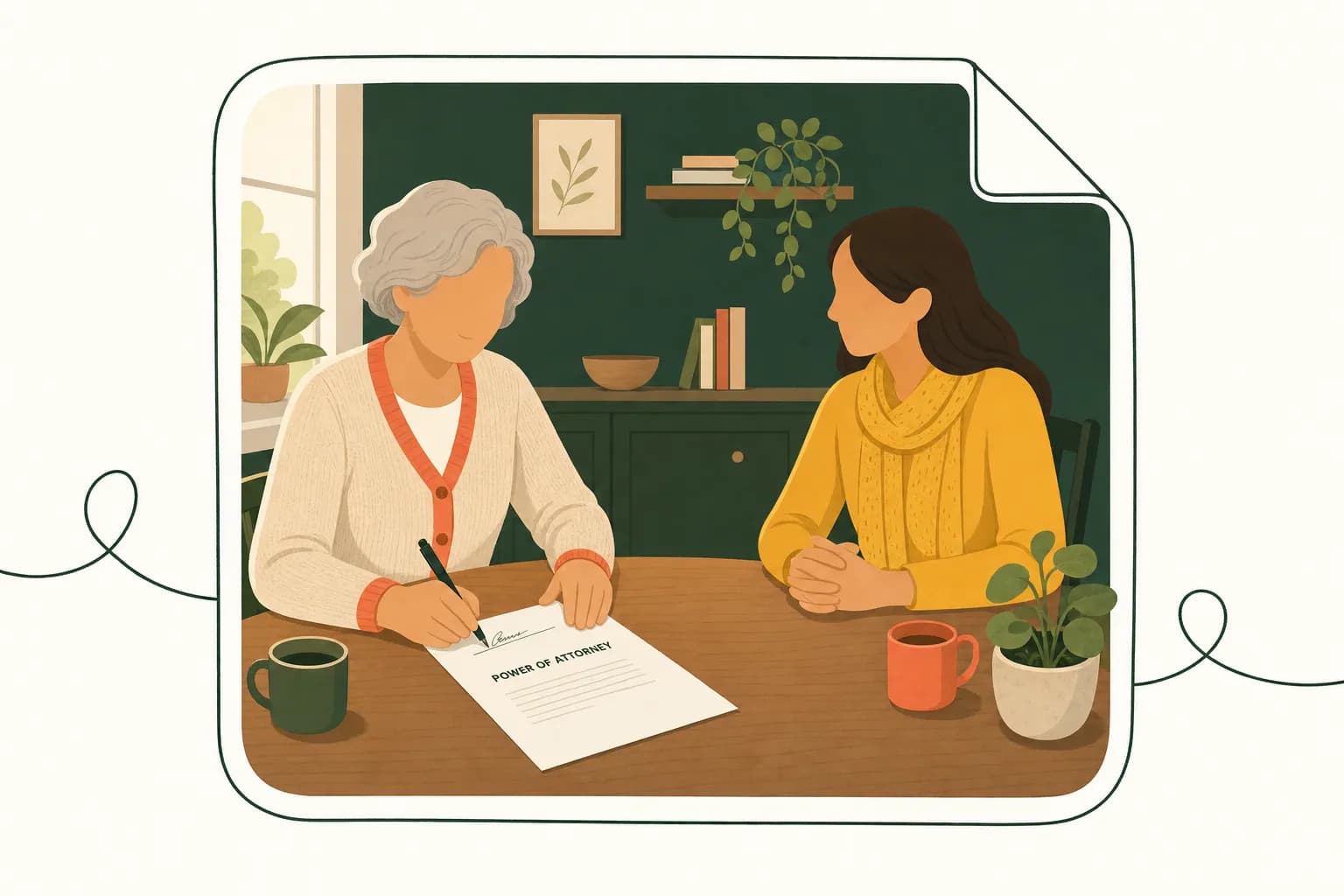
A power of attorney (POA) is a legal document that lets you—the "principal"—name someone else to make decisions or take actions on your behalf, and signing it correctly is what actually makes that authority legally enforceable. Skip a required step, like getting the right witnesses or a notary's stamp, and you might end up with a document that looks official but doesn't hold up when someone actually needs to use it. That's the whole point of this guide: to walk you through signing a POA the right way, the first time.
If you run a small business or work as a freelancer, you've probably thought about a POA more than once—maybe to let a business partner sign contracts while you're traveling, or to give a family member authority over your affairs if you're incapacitated. Whatever the reason, the stakes are real. According to the American Bar Association, a poorly executed POA can be challenged or outright rejected by banks, hospitals, or courts, leaving your agent unable to act when it matters most.
The Main Types of Power of Attorney
Not all POAs are created equal, and the type you choose determines how much authority you're handing over.
- General power of attorney gives your agent broad authority to handle financial and legal matters—signing contracts, managing bank accounts, even running your business—much like you would yourself. It's powerful, which means it needs to be signed with extra care.
- Limited (or special) power of attorney narrows that authority to a specific task or timeframe, like authorizing someone to sign a single real estate closing document while you're out of the country.
- Durable power of attorney stays in effect even if you become mentally incapacitated. This is the one most estate planning attorneys recommend pairing with a healthcare directive, since it ensures someone can still manage your affairs if you can't.
- Medical (or healthcare) power of attorney authorizes someone to make medical decisions on your behalf when you're unable to communicate them yourself. The National Institute on Aging has useful resources on how this fits into broader advance care planning.
Why Execution Details Aren't Optional
Here's the thing about POAs: they're only as strong as their signing process. Most states require notarization, and some require one or more witnesses, similar to the rules covered in our guide on witness signature requirements. Get the signature line wrong, skip a required party, or use the wrong type of signature for your state's rules, and you risk the whole document being unenforceable—right when your agent needs to step in. That's why understanding proper signature line formatting and whether you need a wet signature or an electronic one matters just as much as picking the right type of POA in the first place.
Step-by-Step Process for the Principal to Sign a POA
Alright, let's get into the actual mechanics of signing. This is the part where a lot of people get nervous, and honestly, that's fair — you're granting someone legal authority to act on your behalf, so a little caution is healthy. But the process itself isn't complicated once you break it into steps.
Step 1: Read the entire document before you touch a pen.
I know, I know — nobody wants to read pages of legal language. But skimming a POA is how people end up granting powers they didn't intend to. Look specifically at the scope of authority: is this a general POA covering nearly everything, or a limited/special POA restricted to one task, like selling a specific property? Confirm the agent's name is spelled correctly and that the powers listed match what you actually discussed with them.
Step 2: Fill in every blank completely.
Blank spaces are an invitation for someone to add powers you never agreed to. If a section doesn't apply, write "N/A" or draw a line through it rather than leaving it open. This is basic document hygiene, but it's the kind of detail that protects you later if the POA is ever challenged.
Step 3: Confirm your state's specific signing requirements.
This is the step people skip and regret. Every state has its own rules about what makes a POA valid — some require notarization, some require witnesses, and some require both. The Uniform Law Commission's Uniform Power of Attorney Act has been adopted in some form by many states, but adoption isn't universal, and states often add their own twists. Check your state's official legislature or attorney general site, or ask an estate attorney, before assuming a generic template covers you.
Step 4: Sign in the presence of the required witnesses or notary — not before.
Here's a mistake I see constantly: someone signs the document at home, then brings it to a notary later. That's backwards. In most jurisdictions, you need to sign in front of the notary or witnesses, not just show them your signature after the fact. The National Notary Association has solid guidance on how notarization is supposed to work if you want to double-check the sequence.
Step 5: Date the document the same day you sign it.
Sounds obvious, but a mismatched or missing date is one of the more common reasons a POA gets questioned later, especially if there's ever a dispute about your mental capacity at the time of signing.
Step 6: Distribute copies properly.
Give your agent the original or a certified copy, keep a copy for yourself, and if the POA involves financial institutions or real estate transactions, those parties may need a copy on file too.
If all of this paperwork juggling makes your head spin, that's exactly the kind of friction Dochives was built to remove — you can prepare, sign, and route documents like a POA without the back-and-forth of printing and scanning. Try Dochives free and see how much faster professional document signing can be: https://dochives.com
The Agent's Role and Signing Requirements
Once the principal has signed, the document isn't necessarily finished. In many states, the person named as agent — often called the "attorney-in-fact" — has their own job to do before that power of attorney actually functions the way everyone intends. Skipping this step is one of the most common reasons a POA gets rejected by a bank or title company months down the road, so let's walk through it.
First, understand that being named as an agent isn't automatic. You're not obligated to accept the role just because someone listed your name on a form. Accepting means you're agreeing to act as a fiduciary — a legal term that basically means you have to act in the principal's best interest, keep their money and property separate from your own, and avoid any whiff of self-dealing. The Uniform Power of Attorney Act, which many states have adopted in some form, spells out these duties pretty clearly, and it's worth a skim if you're stepping into this responsibility for the first time.
So how do you actually "accept"? In some states, simply acting on the principal's behalf — signing a check, negotiating with a contractor, talking to their insurance company — counts as acceptance. In others, you're required to sign a formal acceptance provision built into the document itself, sometimes called an "Acknowledgment of Attorney-in-Fact" or something similar. Read the POA carefully. If there's a signature block for the agent, don't skip it. Signing tells everyone — the principal's family, financial institutions, courts — that you understand what you're agreeing to and you're taking it seriously.
Some states go a step further and require the agent's signature to be notarized right alongside the principal's, especially for durable powers of attorney affecting real estate transactions. California, for instance, has specific statutory language around agent certification for its power of attorney forms. If you're using a state-specific statutory form rather than a general template, check your state's requirements directly through resources like your state bar association or Nolo's legal encyclopedia, since the rules genuinely differ from Ohio to Oregon.
Here's a practical tip: even when countersigning isn't legally mandatory, I'd encourage doing it anyway. It creates a clean paper trail. Imagine a bank teller staring at a POA six months from now, trying to decide whether to release funds to you. A document with both signatures, properly dated, tells a clearer story than one with just the principal's name on it.
And if you're managing this process for a client or a family member, using a platform like Dochives can keep both signatures organized, timestamped, and easy to retrieve later — which matters more than people expect when institutions come asking questions. Try Dochives free and see how much smoother this two-signature process can be.
State-Specific Witness and Notarization Rules
Here's the thing about power of attorney forms: there's no single national standard. What flies in Ohio might get your POA tossed out in Florida. I've seen business owners assume that because they signed a valid POA in one state, it'll hold up everywhere they operate — and that assumption can blow up a real estate closing or a business transaction at the worst possible moment.
Some states keep it simple. They only require notarization, full stop. Others layer on witness requirements that feel almost ceremonial by comparison. Florida, for example, requires the principal to sign in the presence of two witnesses and a notary — and the witnesses can't just be anyone. Under Florida Statutes Chapter 709, a witness generally can't be the agent named in the document, which makes sense when you think about it — you don't want the person benefiting from the POA also vouching that it was signed properly.
Then you've got states like California, where the Probate Code lays out its own specific execution requirements, including alternatives for notarization versus witnessing depending on the type of POA. Pennsylvania has its own quirks too, including a notice provision that must appear directly in the document. And a handful of states don't require witnesses at all if the document is notarized — which sounds easier, until you realize a bank or hospital in another state might still ask for witnesses out of institutional caution, even if the law technically doesn't demand it.
Why does this patchwork exist? Because power of attorney law is governed at the state level, not federal. Many states have adopted some version of the Uniform Power of Attorney Act, drafted by the Uniform Law Commission to bring more consistency — but "adopted some version of" is doing a lot of work in that sentence. States tweak the model language, add their own witness counts, or bolt on extra disclosure requirements. So even neighboring states can differ in ways that matter.
This is exactly why I always tell people: don't rely on a template you found online without checking it against your state's actual statute. A quick search for your state legislature's website, or a conversation with a local estate attorney, beats guessing every time. The American Bar Association also publishes general guidance that's worth a look if you want a broader sense of how these documents typically function before you dig into your specific state's rules.
If you're signing a POA that might need to be used or recognized in more than one state — say you run a business with operations in two states — it's worth having the document meet the stricter of the two standards. That way, you're not caught scrambling for a second signing ceremony down the road.
Once you've nailed down your state's requirements, the actual signing process becomes a lot less stressful. Tools like Dochives can help you keep signed documents organized and easily accessible, so when a bank or attorney asks for your POA, you're not digging through a filing cabinet. Try Dochives free and see how much faster professional document signing can be.
Are Electronic Signatures Valid for a Power of Attorney
Short answer: it depends on where you live and who's going to be reading the document later. Electronic signatures are legally recognized in the U.S. thanks to the federal ESIGN Act and the Uniform Electronic Transactions Act (UETA), which most states have adopted in some form. But POAs are one of those document types that fall into a gray area — technically permitted to be signed electronically in many places, yet often rejected in practice by banks, title companies, or healthcare providers who'd rather see ink on paper.
Here's the thing about the ESIGN Act: it gives electronic signatures the same legal weight as handwritten ones for most contracts and transactions. UETA does the same thing at the state level. Both laws were written to keep commerce moving in a digital world, and they've held up well for things like sales contracts, employment offers, and NDAs. But both laws also carve out exceptions, and POAs sometimes get swept into those exceptions depending on how a particular state's statutes are written — especially when the POA involves real estate transactions or healthcare decisions.
Where e-signatures generally work fine. If you're a freelancer authorizing an agent to sign contracts on your behalf, or a small business owner granting limited authority for a specific financial transaction, an electronic signature will often hold up just fine — especially if your state has adopted the Uniform Power of Attorney Act (UPOAA), which many states have. The UPOAA doesn't prohibit electronic execution outright, so a growing number of platforms now support fully digital POA signing, complete with audit trails and identity verification.
Where wet signatures are still the safer bet. Real estate is the big one. If your POA is going to be used to sell or transfer property, many county recorder's offices and title companies still require a wet-ink signature with a live notarization — not a remote or electronic one. The same goes for durable POAs used in healthcare decisions in some states; hospitals and skilled nursing facilities can be conservative about accepting anything other than a physically signed and witnessed document, regardless of what the law technically allows. I've seen agents show up with a perfectly valid e-signed POA only to be told by a bank's compliance department that they need something notarized in person. Frustrating, but not uncommon.
Remote online notarization complicates things further. Some states now allow remote online notarization (RON), which lets a notary witness your signature over live video. This can make electronic POA signing more viable — but not every state authorizes RON, and even where it's legal, individual institutions may not accept it yet.
My advice? Before you sign electronically, call the specific institution or agency that will actually be using the document — the bank, the title company, the hospital — and ask directly whether they accept e-signed and e-notarized POAs. Don't assume. It's a five-minute phone call that can save you a canceled closing or a rejected form down the road.
If you want a smoother, more reliable signing experience with built-in verification, Try Dochives free and see how much faster professional document signing can be — you can check it out at https://dochives.com.
Common Mistakes That Can Invalidate a POA
I've seen it happen more times than I'd like: someone spends weeks getting their estate plan together, finally signs their power of attorney, and then discovers—usually at the worst possible moment, like when a bank or hospital needs it—that the document is worthless. Not because the intent wasn't there, but because of some small, avoidable slip-up during signing. Let's walk through the mistakes that trip people up most often, so you don't become another cautionary tale.
Missing signatures are the most obvious culprit, but they still happen constantly. Maybe the principal signs but forgets that the agent also needs to sign an acceptance in some states. Maybe a witness signs the wrong line, or a page gets separated from the packet before everyone's finished. If you're using a multi-page document, don't just sign the last page and assume you're done—some states require initials on every page. Skipping this step can make a financial institution or court question whether the whole document is authentic.
Incorrect or missing dates are sneakier than they sound. A POA dated after the principal has lost capacity can be challenged, since the document only works if the principal was competent at signing. On the flip side, an undated POA creates ambiguity about when authority actually began—and some agents have run into trouble proving their actions were authorized because the paperwork couldn't establish a timeline. Always double check that the date on the signature page matches the actual day of signing, not some earlier draft date.
Improper witnessing is where a lot of otherwise solid POAs fall apart. Every state has its own rules—some require two witnesses, some require none if the document is notarized, and some require both. A common error is using a witness who's disqualified, like the named agent or a beneficiary under the principal's estate plan. Courts have invalidated POAs because a witness turned out to have a financial interest in the outcome. The National Institute on Aging offers helpful background on why these formalities matter so much for protecting vulnerable principals.
Other frequent issues include using an outdated form that doesn't comply with current state law, forgetting to have the document notarized when it's legally required, or letting someone else sign on behalf of the principal without a legally recognized method (this can raise serious questions about undue influence, a topic the American Bar Association has written about extensively).
The fix for all of this isn't complicated: slow down, follow your state's checklist to the letter, and don't treat signing as a formality. If you want a smoother, more reliable way to manage the signing process—complete with prompts that help you avoid these exact errors—you can try Dochives free and see how much faster professional document signing can be: https://dochives.com.
How to Store and Distribute Signed POA Copies
You've done the hard part. The POA is signed, witnessed, and maybe even notarized. Now what? Honestly, this is the step people rush through—and it's the one that causes headaches down the road when a bank teller or hospital administrator says, "We need to see the original." Let's fix that.
Start with the original document itself. Store it somewhere safe but accessible—not locked in a bank safe deposit box that requires POA authority to access (yes, that irony trips people up more than you'd think). A fireproof home safe, a locked filing cabinet, or your attorney's office are all solid options. The American Bar Association recommends keeping estate planning documents, including POAs, somewhere your agent and family members know about and can reach if needed—because a perfectly executed POA does nobody any good if it's sitting in a safe deposit box nobody can open.
Make certified copies. Many institutions will accept a certified copy rather than the original, especially for day-to-day use. You can typically get these notarized as true copies, which means you're not carrying around (or risking losing) your only signed version. Ask your notary or attorney about certifying copies at the same time you sign—it saves a trip later.
Distribute strategically, not universally. Your bank needs a copy on file before your agent can act on financial accounts—most banks won't accept a POA at the counter without pre-review by their legal or compliance department, so don't wait until an emergency to find this out. Call ahead. Healthcare providers should receive a copy of your healthcare POA (or medical power of attorney) for your medical file, and you may want to register it with a hospital's advance directive system if one exists. The National Institute on Aging has helpful guidance on getting healthcare documents into providers' hands before you actually need them.
Keep a distribution log. Sounds tedious, but it's a lifesaver. Jot down which institutions have copies, the date you sent them, and who received it. If you ever need to revoke or update the POA, you'll know exactly who to notify.
Digital storage matters too. A secure, encrypted digital copy—stored in a platform built for sensitive documents rather than just floating in an email inbox—gives you and your agent instant access from anywhere. This is where a lot of small business owners and freelancers get real value: you're not digging through file cabinets when a vendor or bank suddenly needs proof of authority.
That's actually one of the reasons we built Dochives—to make storing, organizing, and sharing signed documents like your POA simple and secure. If you want to see how much smoother document management can be, try Dochives free and experience faster, more organized signing and storage firsthand.
How Dochives Simplifies Preparing and Signing a POA
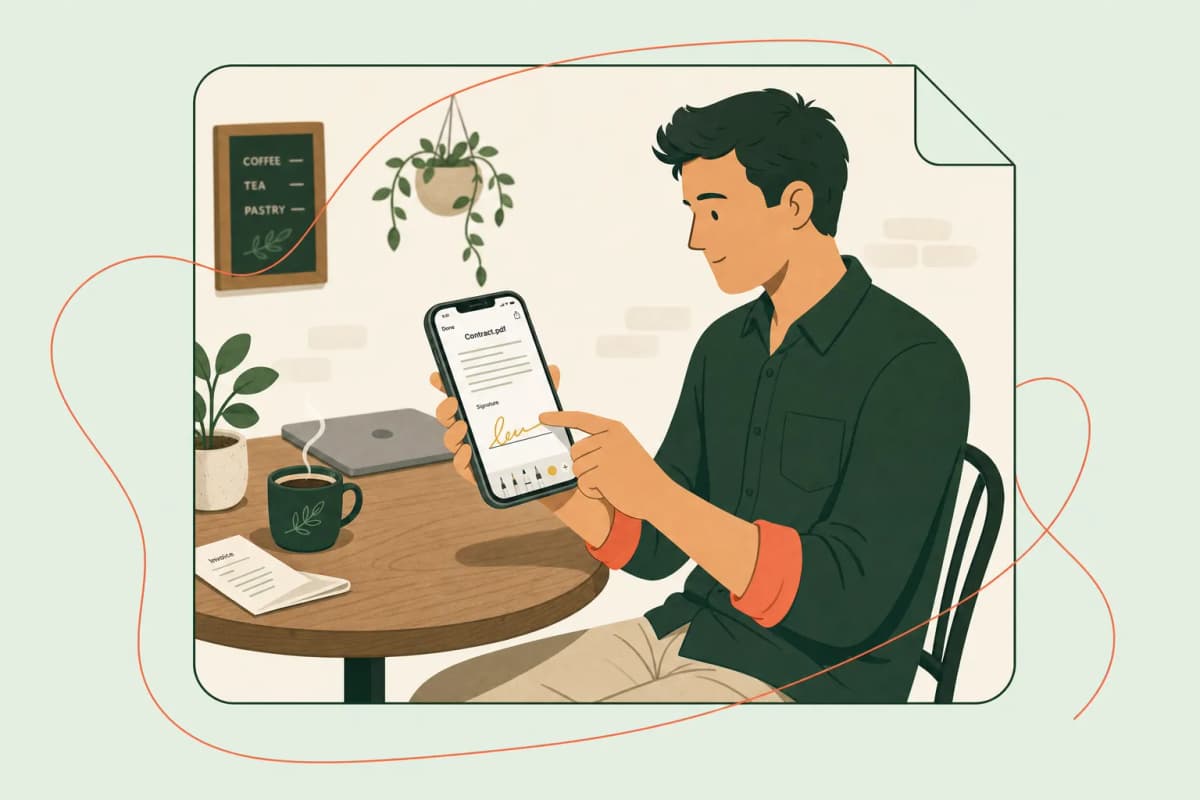
By now you've seen how many moving parts go into a valid power of attorney — the right language, the right witnesses, the right notary, the right storage plan. Juggling all of that with a stack of paper and a pen is exactly the kind of friction that makes busy entrepreneurs put off legal paperwork until it becomes an emergency. That's the gap Dochives is built to close: one platform where you draft, sign, and safely archive your POA instead of bouncing between a word processor, a printer, a notary's office, and a filing cabinet.
Think about what actually slows people down when they try to sign a POA the old-fashioned way. You draft the document, print it, realize you made a typo, reprint it, coordinate a time with your agent and witnesses, track down a notary, then scan everything back into your computer so you have a digital copy for your records. That's an afternoon gone, easily. With Dochives, the drafting and signing workflow lives in the same place, so you're not shuttling files between five different tools just to get one signature captured correctly.
Here's how that plays out in practice. Once your POA document is ready, you upload it to Dochives and set up the signing order — principal first, then agent, then any witnesses your state requires. Each signer gets a secure link they can use from any device, so nobody has to be in the same room, which matters a lot if your agent lives across the state or across the country. Every signature is time-stamped and tied to an audit trail, giving you the kind of documentation trail that stands up if the POA is ever questioned by a bank, a hospital, or a court.
Storage is where Dochives really earns its keep for small business owners. Instead of hoping you remember which drawer holds the original POA, or worrying about a fire or flood destroying your only copy, your signed document sits in an encrypted, searchable archive you can access whenever you need it. Need to send a certified copy to your bank or your accountant? You can pull it up and share it in minutes instead of digging through a filing cabinet. That kind of reliability isn't just convenient — for a small business owner, it can be the difference between a smooth transition of authority and a costly delay when a POA needs to be produced quickly.
None of this replaces good legal advice about your state's specific witness or notarization rules, which we covered earlier — Dochives isn't a law firm. But once you know what your POA needs, Dochives takes the busywork out of getting it drafted, signed correctly, and stored somewhere you can actually find it later.
Try Dochives free and see how much faster professional document signing can be: https://dochives.com
When to Consult an Attorney Before Signing
Here's the honest truth: not every power of attorney needs a lawyer's fingerprints on it. If you're setting up a simple, limited POA so your neighbor can grab your mail while you're on a two-week cruise, you probably don't need to pay someone $300 an hour to review it. But there are situations where skipping legal counsel is like performing your own root canal — technically possible, wildly inadvisable.
When you're dealing with significant assets. If your estate includes real property, multiple bank accounts, investment portfolios, or a business, the stakes go way up. An attorney can help you decide whether you need a durable POA, a springing POA, or something narrower, and can make sure the language actually covers what you intend it to cover. A poorly worded financial power of attorney can accidentally grant — or accidentally fail to grant — authority over things like retirement accounts or real estate transactions, and that's not a mistake you want to discover after the fact.
When you're worried about family conflict. Naming one adult child as agent over another is a classic recipe for resentment, and if there's already tension in the family, a POA can become ammunition rather than a helpful tool. A lawyer can suggest safeguards, like requiring co-agents to act jointly or building in an independent check, such as periodic accounting requirements.
When the principal's capacity is in question. This one's critical. For a POA to be valid, the principal must have the mental capacity to understand what they're signing. If there's any doubt — say, early-stage dementia or a recent medical event — an attorney can help document capacity at the time of signing, sometimes with a physician's evaluation, which can prevent the document from being challenged later. The National Institute on Aging offers helpful background on legal planning for cognitive decline, but a local elder law attorney is who you actually want in the room.
When you're creating a healthcare POA alongside a financial one. Healthcare directives often have their own state-specific rules and interact with advance directives in ways that can get complicated. An attorney familiar with your state's requirements can make sure the two documents don't contradict each other.
When you're signing on behalf of a business. If you're an entrepreneur granting POA to a partner or employee for business transactions, the scope of authority needs to be airtight. Vague language here can expose you to liability you never intended.
When the POA needs to work across state lines. Since recognition rules vary, an attorney can help you draft something that holds up wherever it might need to be used, or advise on executing a second POA if you split time between states.
If none of these apply, tools like Dochives can help you prepare and sign a clean, properly formatted POA without unnecessary friction. Try Dochives free and see how much faster professional document signing can be, while still knowing when it's time to call in a professional.
People Also Ask
Does a power of attorney need to be notarized to be valid?
It depends on where you live — some states will accept a POA with just a signature, while others require notarization before it's considered legally binding. Even when it's not strictly mandatory, I'd still recommend getting it notarized anyway. Banks, hospitals, and title companies often refuse to honor a POA that hasn't been notarized, even if state law technically allows it. Think of notarization as a stamp of trust that makes third parties far more comfortable accepting the document. The National Notary Association offers state-by-state guidance if you're unsure what your jurisdiction requires.
Can a power of attorney be signed electronically?
Yes, in many cases — most states now recognize electronic signatures under laws like the Uniform Electronic Transactions Act, which puts e-signatures on equal legal footing with wet-ink ones for most contracts. That said, POAs involving real estate or healthcare decisions sometimes still require a physical signature plus in-person or remote online notarization. I always suggest checking your specific state's rules before assuming an e-signed POA will hold up everywhere it needs to.
What witnesses or notarization are required when signing a power of attorney?
This varies quite a bit — some states ask for one witness, others want two, and a handful skip witnesses entirely if the document is notarized. Financial POAs and healthcare POAs often have different rules within the same state, so don't assume one form's requirements apply to the other. When in doubt, having both witnesses and a notary present covers your bases no matter where the document might eventually be used. Try Dochives free and see how much faster professional document signing can be: https://dochives.com