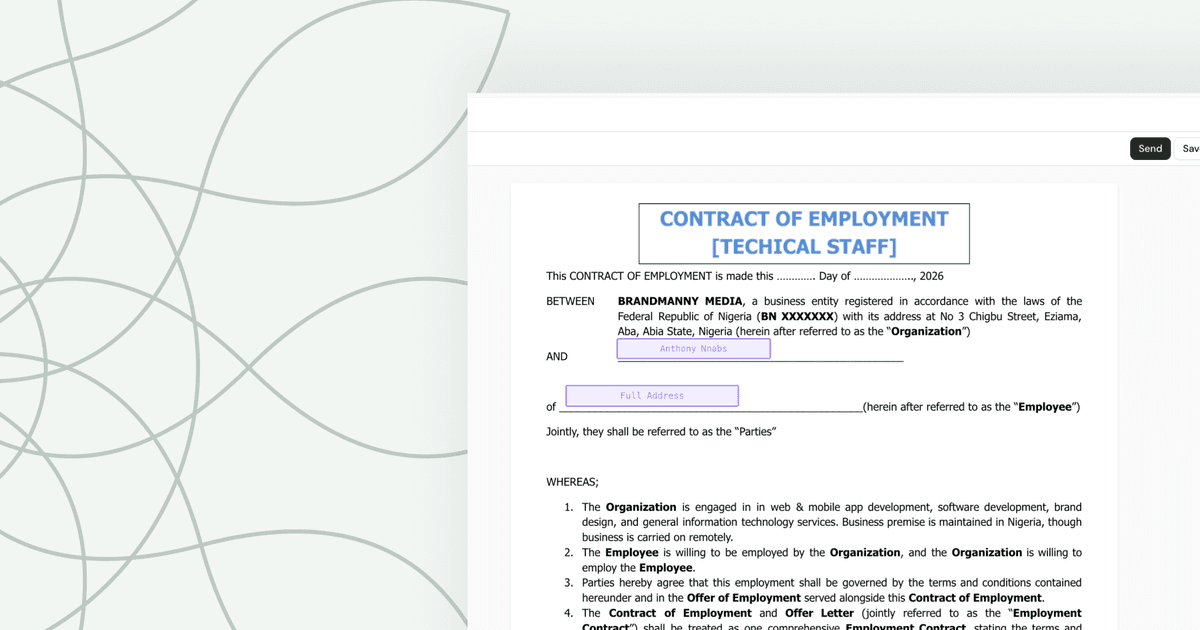
Most contracts today are signed electronically — a few taps on a phone or laptop, no printer, no pen, no envelope. But that's only part of the story. Contracts are still signed with wet ink, in front of witnesses, in front of notaries, by mail, and by authorized company representatives who may never meet the other party in person. The right method depends on what you're signing and what the law requires.
Here's the thing that trips people up: signing a contract isn't really about the squiggle you make on a line. It's about intent. A signature is just the most recognizable way of saying "I read this, I understand it, and I agree to be bound by it." That's why a typed name, a clicked button, a fingerprint on a tablet, and a fountain-pen flourish can all be equally valid. The mark is the symbol. The agreement is the substance.
In this guide, I'll walk you through every common way contracts get signed — what each method actually involves, when it's the right choice, and where each one can go wrong. By the end, you'll know exactly how contracts are usually signed and which approach fits whatever document is sitting in front of you. Let's get into it.
What It Actually Means to "Sign" a Contract
Before we talk about how contracts get signed, it's worth pausing on what signing even means, because almost everyone gets this slightly wrong. We tend to think the signature is the magic. The fancier the loop, the more official it feels. But legally, the signature itself is almost beside the point. What matters is what it represents.
A signature is evidence of two things: identity (this specific person agreed) and intent (they meant to be bound by these terms). That's it. The squiggle is just a convenient, traditional way of capturing those two ideas in one stroke. This is why courts have, for well over a century, accepted all sorts of marks as valid signatures — an "X" from someone who couldn't write, initials, a stamp, a typed name. As long as the mark was made with the intent to authenticate the document, it counts.
Think about how many things you "sign" without a pen. You tap "I agree" on software terms. You accept a delivery on a courier's screen with your fingertip. You reply to an email with your name at the bottom to confirm a deal. Each of those is a form of signing, because each one shows you intended to agree. The Cornell Legal Information Institute defines a signature broadly as any mark or sign made with the intention of authenticating a document — notice that "any mark" doing the heavy lifting.
So what makes a signature legally meaningful? A few ingredients:
- Intent to sign. The person meant to agree, not doodle.
- Consent to do business this way. Especially for electronic signing, both sides accept the method.
- Association with the record. The signature has to be connected to the actual document being signed.
- Capacity. The signer is legally able to enter a contract — an adult of sound mind, not coerced.
Here's a quick story that drives it home. A friend of mine once panicked because she'd agreed to a freelance project entirely over email and never "signed anything." She assumed she wasn't protected. In reality, her email exchanges — where both parties confirmed the scope, the price, and the timeline with their names attached — formed a perfectly enforceable contract. There was no formal signature page anywhere. The intent was crystal clear, and that's what the law cares about. Once you understand that signing is about agreement rather than penmanship, every method below starts to make a lot more sense.
How Contracts Are Usually Signed Today
So, how are contracts usually signed in 2026? The honest answer is: it's a mix, but the center of gravity has shifted hard toward electronic signing. For everyday business — freelance gigs, vendor agreements, leases, sales contracts, employment offers, NDAs — the typical path now is an electronic signature sent and completed online. For certain high-stakes or legally specific documents, the older methods still rule. Let me give you the landscape.
The main ways contracts get signed today fall into a handful of buckets:
- Electronic signatures. The modern default. You receive a document by email, review it, and sign by typing, drawing, or clicking on your phone or computer. Fast, trackable, and legally binding in most situations.
- Wet ink (handwritten) signatures. The classic pen-on-paper signature. Still common for documents that legally require physical signing, or simply where one party prefers it.
- Digital signatures. A more technical, cryptographically secured subset of electronic signing, often used where high security or identity verification is critical.
- Witnessed or notarized signatures. Used when the law or the parties require a third party to confirm the signing — wills, deeds, certain affidavits, and the like.
- Counterpart and remote signing. Where parties in different locations each sign their own copy, common in business deals.
The big trend is obvious to anyone who's signed anything in the last few years: the digitization of agreements. According to research and adoption data tracked across industries, electronic signing has moved from a novelty to the norm, accelerated dramatically when remote work made printing and mailing impractical. Government bodies signaled this shift long ago — the U.S. passed the ESIGN Act back in 2000, giving electronic signatures the same legal standing as handwritten ones, and the European Union did the same through its eIDAS regulation.
That said, "usually" doesn't mean "always." A residential lease in one state might be signed electronically in five minutes; a property deed in another might still need wet ink and a notary stamp. A startup's contractor agreement gets signed on a phone in an airport; a will gets signed in a lawyer's office with two witnesses watching. The method follows the document. Understanding that relationship — which document calls for which method — is exactly what the rest of this guide is about. So let's break down each method, starting with the one that's been around the longest.
Wet Ink Signatures: The Traditional Method
A wet signature is exactly what it sounds like: a signature made with a pen, in actual ink, on a physical piece of paper. The "wet" refers to the ink being literally wet when you sign. It's the method we all picture when we hear "sign here," and for centuries it was the only game in town. Even now, in a world drowning in digital tools, the handwritten signature hasn't disappeared — it's just been demoted from default to special-occasion.
So when do you still need pen and paper? A handful of document types, by law in many jurisdictions, still call for a wet ink signature or are commonly handled that way:
- Wills and testamentary documents. Most states require these to be physically signed, often with witnesses present.
- Property deeds and certain real estate transfers. Recording requirements frequently demand original signatures.
- Court documents. Some filings and certified records still require physical signatures.
- Certain powers of attorney and healthcare directives. Requirements vary widely by state.
- Some government and international forms that simply haven't modernized yet.
The reason these holdouts exist usually comes down to fraud prevention and ceremony. A physical signature, especially a witnessed or notarized one, creates a deliberate, hard-to-fake moment. For something as consequential as a will, the law wants that gravity. There's value in the friction — it slows people down and makes the act feel as serious as it is.
Wet signatures do have real advantages. They feel official. They don't depend on technology, internet access, or anyone understanding software. And for parties who distrust digital methods, there's a tangible reassurance in holding the signed original. I've known older business owners who simply won't do a deal until they've signed a paper copy with their own pen, and honestly, there's nothing wrong with that.
But the downsides are significant, which is exactly why the world moved on. Wet signing is slow — print, sign, scan, mail, wait. It's easy to lose a single paper original. There's no built-in audit trail showing who signed when. And coordinating signatures across multiple parties in different cities turns into a logistical headache of couriers and tracking numbers. Verifying a handwritten signature's authenticity later can be surprisingly difficult and expensive, sometimes requiring handwriting experts. If you're curious how the traditional wet-ink approach stacks up against modern methods and whether you still need one for your particular document, the distinction between wet and electronic signing is worth understanding in detail before you assume paper is mandatory. For most everyday contracts, it isn't.
Electronic Signatures: The Modern Standard
If wet ink is the grandparent of contract signing, electronic signatures are the way most of us actually live now. An electronic signature — or e-signature — is any electronic indication of intent to agree to a document. That's a broad definition on purpose. Typing your name, drawing your signature with a mouse or finger, clicking an "I agree" button, or applying a saved signature image in a signing platform all qualify as electronic signatures.
Here's how the typical e-signing flow works in practice. One party uploads a contract to a signing platform and adds signature fields. The other party gets an email with a secure link. They open the document on whatever device they're holding, read it, and sign by typing or drawing their name in the designated spot. The platform timestamps the action, records identifying details, and sends everyone a completed copy. The whole thing can happen in under five minutes, across continents, with zero paper. If you want the full breakdown of how this works end to end, our guide to electronic signatures covers every angle in depth — see The Complete Guide to Electronic Signatures: Everything You Need to Know.
The natural question is always: are these actually legal? Yes — emphatically. In the United States, the federal ESIGN Act and the Uniform Electronic Transactions Act (UETA), adopted by nearly every state, give electronic signatures the same legal weight as handwritten ones. The European Union's eIDAS framework does the same across member states. For the deeper legal picture — exactly when and why e-signatures hold up in court — it's worth reading Are Electronic Signatures Legally Binding? A Complete Guide, which lays out the requirements clearly.
What makes electronic signing genuinely better, not just faster?
- Speed. Deals close in minutes instead of days.
- Audit trails. Good platforms log who signed, when, from where, and on what device — far stronger evidence than a bare ink signature.
- Tamper-evidence. The signed document is sealed so any later changes are detectable.
- Convenience. Sign from anywhere, on any device, no printer required.
- Storage. Signed copies are saved automatically and easy to retrieve.
One common point of confusion: people assume a typed name "doesn't count" as a real signature. It absolutely can. We dig into exactly why in Is Typing Your Name a Legal Signature? Electronic Consent Explained, but the short version is that a typed name made with intent to sign is a valid electronic signature under U.S. law. The keyboard is just another pen. For the overwhelming majority of contracts — business, personal, freelance, or otherwise — electronic signing isn't just acceptable, it's the smartest default available.
Digital Signatures vs. Electronic Signatures
Here's where a lot of people get tangled up, and it's worth untangling because the terms get thrown around as if they're synonyms. They're not. Every digital signature is an electronic signature, but not every electronic signature is a digital signature. A digital signature is a specific, technically rigorous type of electronic signature. Think of "electronic signature" as the broad umbrella and "digital signature" as one particular high-security spoke under it.
So what's the actual difference? An electronic signature, as we covered, is any electronic mark showing intent — a typed name, a drawn squiggle, a clicked button. A digital signature is built on cryptography. When you apply a digital signature, specialized technology called public key infrastructure (PKI) generates a unique mathematical "fingerprint" of the document and encrypts it with a private key tied to your verified identity. The National Institute of Standards and Technology defines digital signatures around exactly this cryptographic process. Anyone can then use the corresponding public key to verify two things: that you signed it, and that not a single character has changed since.
Why does that matter? Two big reasons:
- Authentication. A digital signature cryptographically ties the signature to a verified identity, usually through a digital certificate issued by a trusted certificate authority. It's much harder to forge or repudiate.
- Integrity. If anyone alters the document after signing — even adding a comma — the digital signature breaks and verification fails. The document is tamper-evident at a mathematical level.
You run into digital signatures more than you might realize. They're common in government filings, regulated industries like finance and pharmaceuticals, high-value international contracts, and any context where proving identity and document integrity is non-negotiable. The EU's eIDAS framework even formalizes tiers — "qualified electronic signatures" are essentially digital signatures backed by strict identity verification, and they carry the highest legal presumption of validity.
For everyday contracts, do you need a full digital signature with certificates and PKI? Usually not. A standard electronic signature with a solid audit trail is more than enough to be legally binding and to hold up if challenged. The cryptographic heavy machinery is overkill for a freelance agreement or a simple lease. But for the situations that demand maximum security and verifiable identity — think large financial transactions, regulatory submissions, or cross-border deals where trust between parties is thin — digital signatures are the gold standard. Knowing the difference helps you avoid two mistakes: overcomplicating a simple contract, and under-securing a serious one. Match the tool to the stakes.
Signing in Person, by Mail, or Remotely
Beyond what kind of signature you use, there's the logistical question of where and how the parties actually come together to sign. This matters more than people expect, because a deal can stall for weeks purely over the mechanics of getting everyone's mark on the page. There are three classic approaches: in person, by mail, and remotely. Each has a time and place.
Signing in person. This is the traditional handshake-and-pen scenario — both parties (or all of them) in the same room, signing the same physical document. It has genuine advantages. There's no doubt about identity, you can ask questions face to face, and there's a certain ceremonial weight to signing together that builds trust. In-person signing is still standard for some real estate closings, certain banking transactions, and anything requiring a notary who must witness the signature live. The obvious downside is that it requires everyone to be physically present, which is increasingly impractical in a distributed world.
Signing by mail. When parties can't meet but a wet signature is required, the contract travels. One party signs and mails the original to the other, who signs and returns it. Or each party signs and exchanges copies. This is the slow, old-fashioned route — reliable but glacial. I once watched a simple two-page agreement take eleven days to fully execute purely because it crossed the country twice by post, sat on a desk over a weekend, and got delayed by a holiday. Mail signing also introduces real risk: originals get lost, pages go missing, and there's no audit trail beyond a postmark.
Signing remotely (online). This is the modern answer to the limitations of both methods above, and it's why electronic signing exploded. Remote online signing lets parties in different cities, countries, or time zones each sign the same document electronically without ever being in the same place. The General Services Administration and countless private organizations shifted heavily toward remote signing as distributed work became normal, precisely because it collapses the geography problem entirely. You send a link, they sign, done — with a full record of who did what and when.
For most contracts, remote online signing wins on nearly every axis: speed, cost, traceability, and convenience. In-person signing earns its keep when identity verification or notarization must happen live, or when the relationship genuinely benefits from a shared moment. Mail signing, frankly, is mostly a fallback for when a physical original is legally unavoidable and the parties can't gather. The general rule: default to remote unless something specific about the document forces you into a room or an envelope.
Witnessed and Notarized Signatures
Sometimes a signature alone isn't enough — the law (or the parties) wants a neutral third party to confirm the signing actually happened, and happened legitimately. That's where witnesses and notaries come in. These add a layer of verification on top of the signature itself, and certain documents flat-out require them to be valid. Understanding when you need this extra step saves you from the nightmare of discovering, months later, that an important document is unenforceable.
Witnessed signatures. A witness is a person who watches you sign and then signs themselves to attest that they saw it happen. Witnesses don't need to read or agree to the contract — their job is simply to confirm that the right person signed, willingly, on that date. Witness requirements come up most often with wills, certain trusts, some powers of attorney, and various real estate and affidavit documents. The specific rules — how many witnesses, whether they can be beneficiaries, whether they must be present simultaneously — vary significantly by state and document type, so it's always worth checking your local requirements.
Notarized signatures. A notary public is a state-authorized official whose job is to verify the identity of signers, confirm they're signing willingly and knowingly, and then apply an official seal and signature. Notarization adds a strong layer of fraud protection because the notary checks government ID and records the act in a journal. Documents that commonly require notarization include property deeds, certain powers of attorney, some affidavits, and various legal and financial instruments. The notary isn't verifying that the contract is fair or good — only that the signing was authentic. You can find the rules and standards for notaries through resources like the National Notary Association and your state's secretary of state office.
Here's the modern twist: remote online notarization (RON). A growing number of states now allow notarization to happen entirely online via live video, where the notary verifies your identity remotely and applies a digital notarial seal. This blends the legal rigor of notarization with the convenience of remote signing — a genuine breakthrough for anyone who's ever scrambled to find a notary before a deadline. Adoption has expanded rapidly, though availability and rules still differ by state, so confirm that your specific document and jurisdiction allow it.
The practical takeaway: most everyday contracts need neither a witness nor a notary. But when you're dealing with wills, deeds, powers of attorney, or high-stakes legal documents, check the requirements before signing. A perfectly worded contract signed without a legally required witness or notary stamp can be worth exactly nothing — and that's a brutal lesson to learn after the fact.
How Companies and Businesses Sign Contracts
Signing a contract as an individual is straightforward — you're agreeing on your own behalf. But when a company signs a contract, things get more nuanced, and getting it wrong can leave an agreement unenforceable or expose the wrong person to liability. If you do business with companies (or run one), understanding how corporate contracts get signed is essential.
The core concept is signing authority. A company is a legal entity, but it can't physically hold a pen — so a human being signs on its behalf. That person must have the authority to bind the company. Typically that's an officer (CEO, CFO), a director, an owner, or someone explicitly granted authority through a board resolution, an operating agreement, or a power of attorney. When someone without proper authority signs, the contract may not bind the company at all. This is why serious deals often include representations that the signer is "duly authorized" to execute the agreement.
The way a business signature block is structured reflects this. Instead of a single name on a line, a corporate signature typically looks like:
Acme Corporation By: ______________________ Name: Jane Martinez Title: Chief Executive Officer
That format makes it explicit that Jane is signing for Acme in her official capacity, not personally. The distinction is legally important — it keeps Jane's personal assets out of the deal while binding the company. The U.S. Small Business Administration and standard corporate practice both emphasize using these proper signature blocks for exactly this reason.
A few other concepts come up constantly in business signing:
- Counterparts. Big deals often have a "counterparts" clause stating that the contract can be signed in separate copies, and that all the signed copies together form one agreement. This lets parties in different locations each sign their own version without needing a single shared original.
- Execution. In business and legal language, you don't just "sign" a contract — you "execute" it. Execution means completing all the steps that make it binding, which may include signatures, dates, witnessing, and delivery.
- Effective date vs. signing date. Contracts sometimes take effect on a date different from when they're signed. The signature shows agreement; a separate effective-date clause controls when obligations actually start.
In practice, the rise of electronic signing has been a massive win for business contracts specifically. Companies routinely close deals with partners across the world without anyone boarding a plane or mailing a single page. Authorized signers receive a link, sign in their official capacity, the platform logs everything, and the deal is executed in minutes. For B2B agreements, vendor contracts, employment offers, and the endless paperwork of running a company, electronic execution has quietly become the engine that keeps deals moving.
Which Signing Method Should You Use?
By now you've got the full menu: wet ink, electronic, digital, witnessed, notarized, in person, by mail, remote. So how do you actually choose? The good news is that for most contracts, the decision is easy. The method follows the document and the stakes. Here's a practical framework for picking the right approach without overthinking it.
Start with the legal requirements. This is non-negotiable and comes first. Some documents must be signed a specific way, full stop. Wills typically require wet signatures and witnesses. Deeds often require notarization. Certain government forms demand physical originals. Before anything else, ask: does the law or the receiving institution require a particular method for this exact document? If yes, that decision is made for you. When you're unsure, a quick check with the relevant authority — or an attorney for anything high-stakes — is cheap insurance against a voided agreement.
Then weigh the stakes and security needs. For a routine, low-risk agreement — a freelance gig, a simple service contract, an NDA — a standard electronic signature is perfect. Fast, binding, and well-documented. For a high-value or sensitive transaction where verifying identity is critical, consider a digital signature with cryptographic certificates or added identity verification. The bigger the consequences of fraud or dispute, the more security you want baked into the signing method.
Here's a rough decision guide:
- Everyday business and personal contracts (freelance, leases, sales, employment, NDAs) → Electronic signature. It's the default for a reason.
- High-security or regulated transactions (large finance deals, regulatory filings, cross-border contracts) → Digital signature with identity verification.
- Wills, deeds, certain powers of attorney → Wet ink, often with witnesses and/or notarization, per local law.
- Documents requiring identity confirmation by an official → Notarized signature (in person or via remote online notarization where allowed).
- A party who genuinely distrusts digital tools or insists on paper → Wet ink, if that's what closes the deal.
Consider the practical factors too. How fast do you need it signed? How many parties, and where are they located? Do you need a clear audit trail? For anything involving multiple people in different places under time pressure, electronic signing wins almost automatically. The Consumer Financial Protection Bureau and other consumer-focused bodies stress that whatever method you choose, both parties should clearly consent to it and receive a complete copy of what they signed.
The mistake to avoid is treating every contract the same. Don't drag a simple freelance agreement through a notary, and don't try to e-sign a will in a state that forbids it. Match the method to the document, respect the legal requirements, and default to electronic for the vast everyday middle. That's how the pros decide.
How to Sign a Contract the Right Way: Step-by-Step
Knowing the methods is one thing. Actually signing a contract properly is another. Whether you're signing with a pen or a fingertip, the same fundamental steps protect you. Here's the process I'd walk anyone through, start to finish.
Step 1: Read the entire contract — yes, all of it. This sounds obvious and gets skipped constantly. Before you sign anything, read every clause, including the boring boilerplate at the end where the important stuff often hides. Pay special attention to payment terms, deadlines, termination clauses, liability, and anything about disputes. If a term is unclear, ask before you sign, not after. Your signature means you accepted everything in the document, whether you read it or not.
Step 2: Confirm the details are correct. Check that names are spelled right, dates are accurate, dollar amounts match what you agreed, and any blanks are filled in. Empty placeholders like "[insert amount]" left in a signed contract create real ambiguity about what was actually agreed. Make sure nothing important is missing and nothing wrong is present.
Step 3: Verify you (or the signer) have authority. If you're signing for a business, confirm you're authorized to bind the company and use the proper signature block format. If someone else is signing on your behalf, make sure they have the authority — a power of attorney or clear written authorization.
Step 4: Choose and apply your signing method. Based on everything we covered, pick the right method for the document. For most contracts, that's an electronic signature through a trusted platform. Sign in every required field — contracts often have multiple signature and initial spots, and a single missed one can hold up the whole agreement. Make sure all parties sign.
Step 5: Handle witnesses or notarization if required. If the document needs a witness or notary, arrange it properly — in person or via remote online notarization where permitted. Don't sign a witnessed document before the witness is present, since that defeats the purpose.
Step 6: Make sure everyone gets a copy. Once fully signed, every party should receive a complete, executed copy. With electronic signing this happens automatically. With wet ink, make copies before anyone walks away.
Step 7: Store it somewhere safe and findable. A signed contract you can't locate is nearly useless when a dispute arises. Save digital copies in a secure, backed-up location, and keep physical originals somewhere protected. Good signing platforms store and organize signed documents for you, complete with the audit trail. The National Archives and records-management best practices emphasize that proper retention is part of executing a contract, not an afterthought.
Follow those seven steps and you'll sign contracts the way careful professionals do — fully informed, properly authorized, correctly executed, and safely stored. The method may change from document to document, but the discipline stays the same.
Conclusion
So, how are contracts usually signed? Increasingly with a few taps on a screen — but as we've seen, electronic signing is just one method among several, each suited to different documents and situations. We covered what signing a contract actually means (intent, not penmanship), walked through wet ink, electronic, and digital signatures, compared signing in person, by mail, and remotely, and looked at when you need a witness or notary. We unpacked how businesses execute contracts through authorized signers, laid out a framework for choosing the right method, and finished with a step-by-step process for signing the right way.
The big lesson is simple: match the signing method to the document. Default to electronic for the vast majority of everyday agreements, reach for digital signatures or notarization when the stakes demand it, and always respect the specific legal requirements for things like wills and deeds. Whatever method you choose, read carefully, confirm authority, sign every field, and store the result somewhere safe.
Want to dive deeper into signatures, contracts, and signing law? Browse more guides and templates on the Dochives blog — there's plenty more to help you handle documents with confidence.
Ready to sign your next contract the easy way, with a full audit trail and zero printing? Try Dochives free — upload your document, send it off, and collect every signature in minutes.